
We’ve been building Sashakt 2.0 for a while now. Here’s a look at what’s changed.
If you’ve used Sashakt before, you know what it could do, and probably felt where it fell short. Sashakt 2.0 is our answer to that.
We didn’t just add features. We rethought the experience from the ground up, for the admins building assessments and for the candidates taking them.
Here’s what’s new.
More Question Types
The original Sashakt supported single and multiple choice. That covered the basics, but real-world assessments are rarely that simple.
Sashakt 2.0 adds seven new question types, so you can finally build the assessment you actually had in mind:
Matrix of Matches: Ask candidates to pair items from two columns. Great for testing associations and relationships.
Matrix of Ratings: Present a set of statements and let candidates rate each one on a scale. Perfect for feedback and attitude surveys.
Matrix of Numbers / Texts: Grid-based inputs for numerical or written responses across multiple dimensions.
Integer & Decimal answers: Clean number inputs, whether you need whole numbers or precise decimals.
Text answers: Open-ended responses for when you want reasoning, not just recall.
And for multiple-choice questions, partial marking is now supported. Candidates get credit for partially correct answers, not just all-or-nothing.

Add Images, Audio and Video
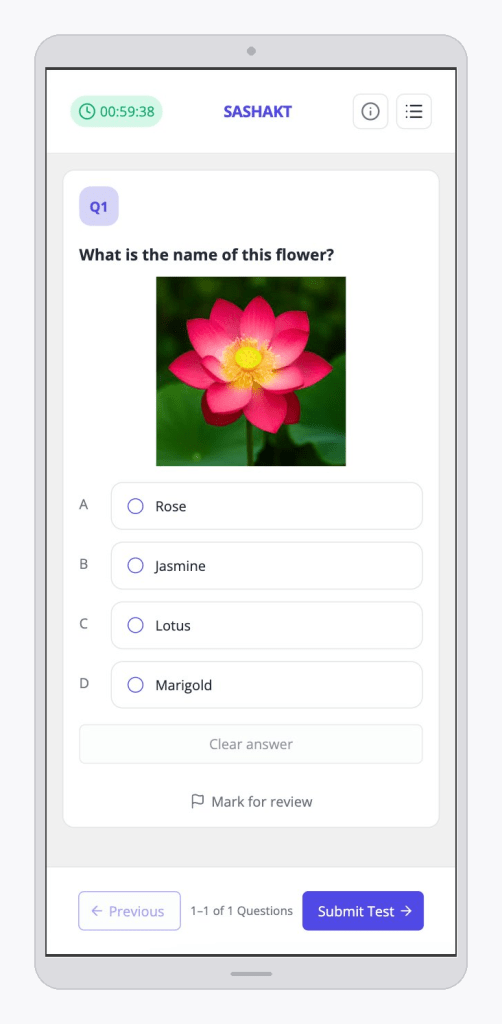
Questions and answer options can now include images, audio, and video. A picture-based comprehension question, a listening exercise, a video scenario, all of this is possible now.
Organisations host their own media in their storage bucket and link it in. Simple, flexible, no lock-in.
A Better Experience for Candidates
A few things that make a real difference when you’re mid-test:
Question Palette: Candidates can see all questions at a glance and jump to any one directly. No more clicking through one by one.
Flag for Later: Not sure about a question? Mark it and come back. Flagged questions are clearly highlighted so nothing slips through.
OMR Mode: A minimal view showing only question numbers and answer keys, ideal for supervised or low-bandwidth settings that mirror a traditional exam environment.

More Options for Admins
Admins now have a lot more to work with. Test instructions can be written with full rich text formatting, not just a plain text box anymore.
Feedback After Every Question or After the Test
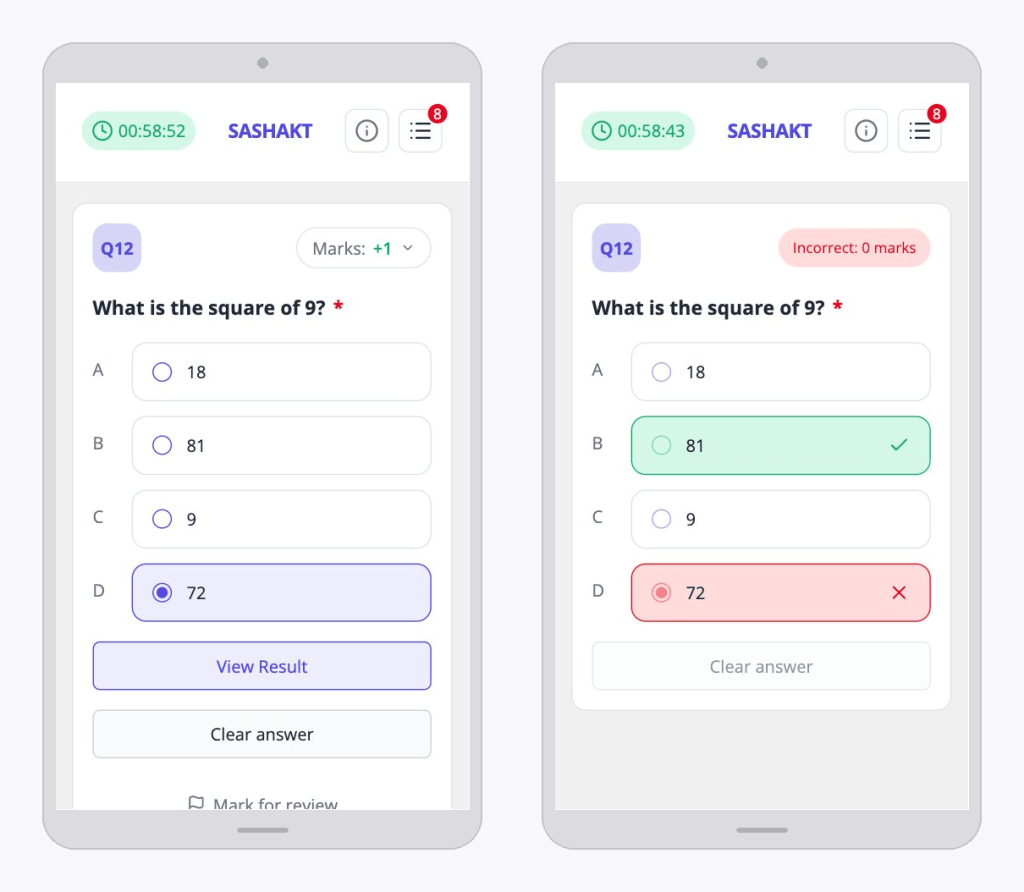
Once the test has feedback enabled, you’ll see your results either right after each question or once the full test is submitted.
Forms & Certificates
Need to collect candidate details before the test begins? Form Management lets you build custom intake forms, name, age, location, whatever you need, with support for different field types like text, number . These forms attach directly to the test, so the whole experience stays in one place.
And when it’s time to recognise achievement, Certificate Configuration has you covered. Upload your own certificate template for each test. Once a student completes the test, they’ll see a Download Certificate option on their results page, allowing them to instantly download their personalized certificate.

Speak Your Candidate’s Language
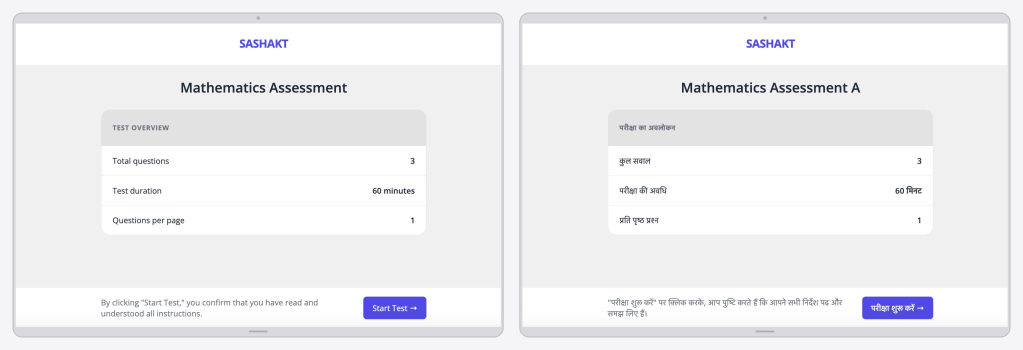
Until now, Sashakt’s interface has only been in English. This works fine for many users, but a large number of candidates come from rural parts of the country, where taking a test fully in English can be difficult or uncomfortable.
Sashakt 2.0 introduces localization support for the test-taker interface. Static text such as buttons, instructions, labels, and other UI elements can now be displayed in Hindi, based on the language set for the test.
Localisation: English and Hindi
Organisation Settings
Sashakt 2.0 also introduces a dedicated Organisation Settings section, giving platform admins more control over how Sashakt looks and behaves across the board.
Organisation Details lets you configure the basics: organisation name, shortcode, logo, a platform guide PDF, the analytics dashboard link. Small things that go a long way in making the platform feel like yours.
Organisation Settings goes a step further. Instead of leaving every configuration decision to individual test creators, you can now define defaults at the organisation level, things like how many questions appear per page, marking scheme rules, answer review behaviour, and more. Each setting can be marked as fixed (locked for all tests) or flexible (customisable during test creation). This keeps the test creation process clean and focused, without overwhelming users with options they don’t need.
Platform Nomenclature is one of our New additions. Every organisation has its own language: what one team calls a “Test”, another calls an “Assessment”. What one calls “Tags”, another calls “Competencies”. You can now rename platform sections to match your internal terminology, so the platform speaks your language rather than the other way around.

A New Look
Sashakt 2.0 also brings a complete UI redesign, cleaner, more intuitive, and easier to navigate for both admins and candidates. It feels like a different product. In the best way.
Every feature, every tweak, every small detail comes from real feedback and real gaps we’ve seen in how assessments are built and taken. This is just the beginning — there’s a lot more in the pipeline. Stay tuned.


